Team Leaders Documentation
This document describes the login and operational functionality of the Team Leader section in the ISU Speed Skating Online Results System.
Logging into the Application
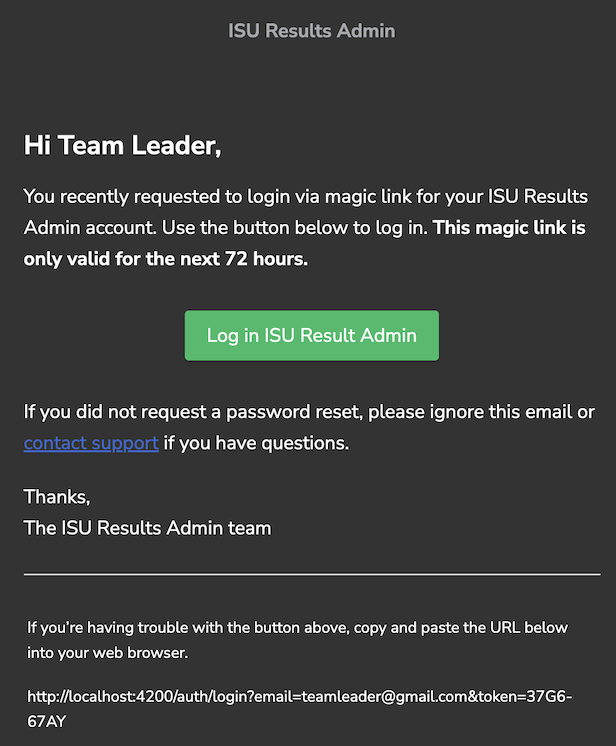
As a Team Leader, you will receive an invitation from the admin system containing a temporary password link. This link will log you directly into the application and remain valid for the duration of the event.
Application Menu
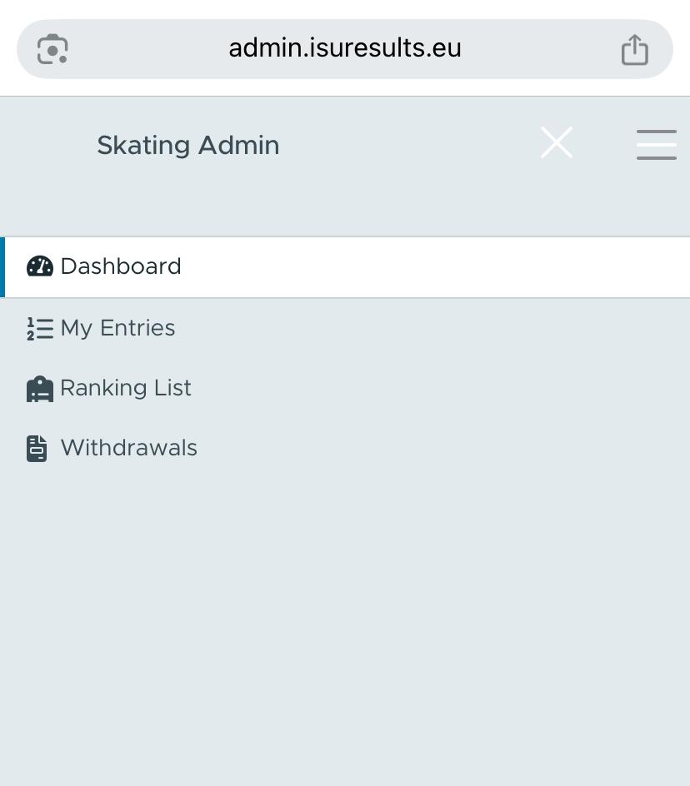
The Team Leader interface provides two main functionalities:
- Managing the preferred order of starters.
- Managing withdrawal requests.
You can access these features from the top menu (hamburger icon), which opens a navigation panel on the left. Use it to navigate to Entries and Withdraws.
Managing Entries
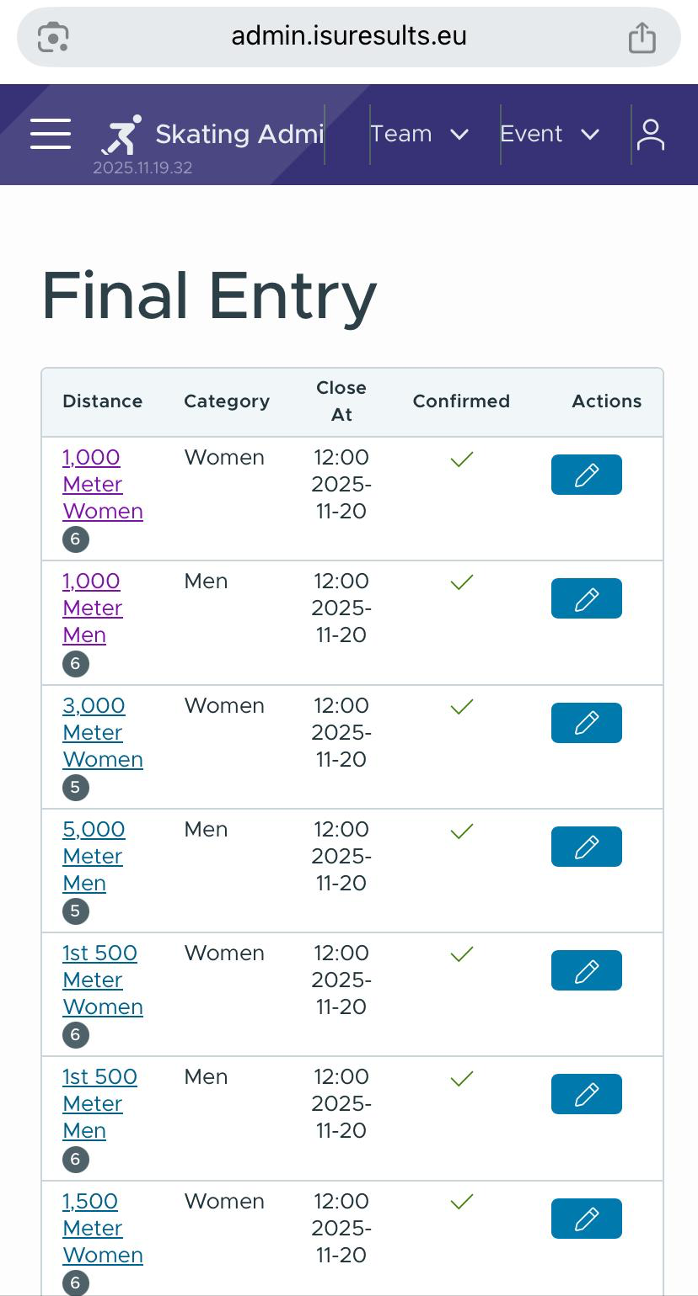
To manage your entries, select the Entries option from the menu. The app will display a list of distances, allowing you to choose the specific distance you want to manage.
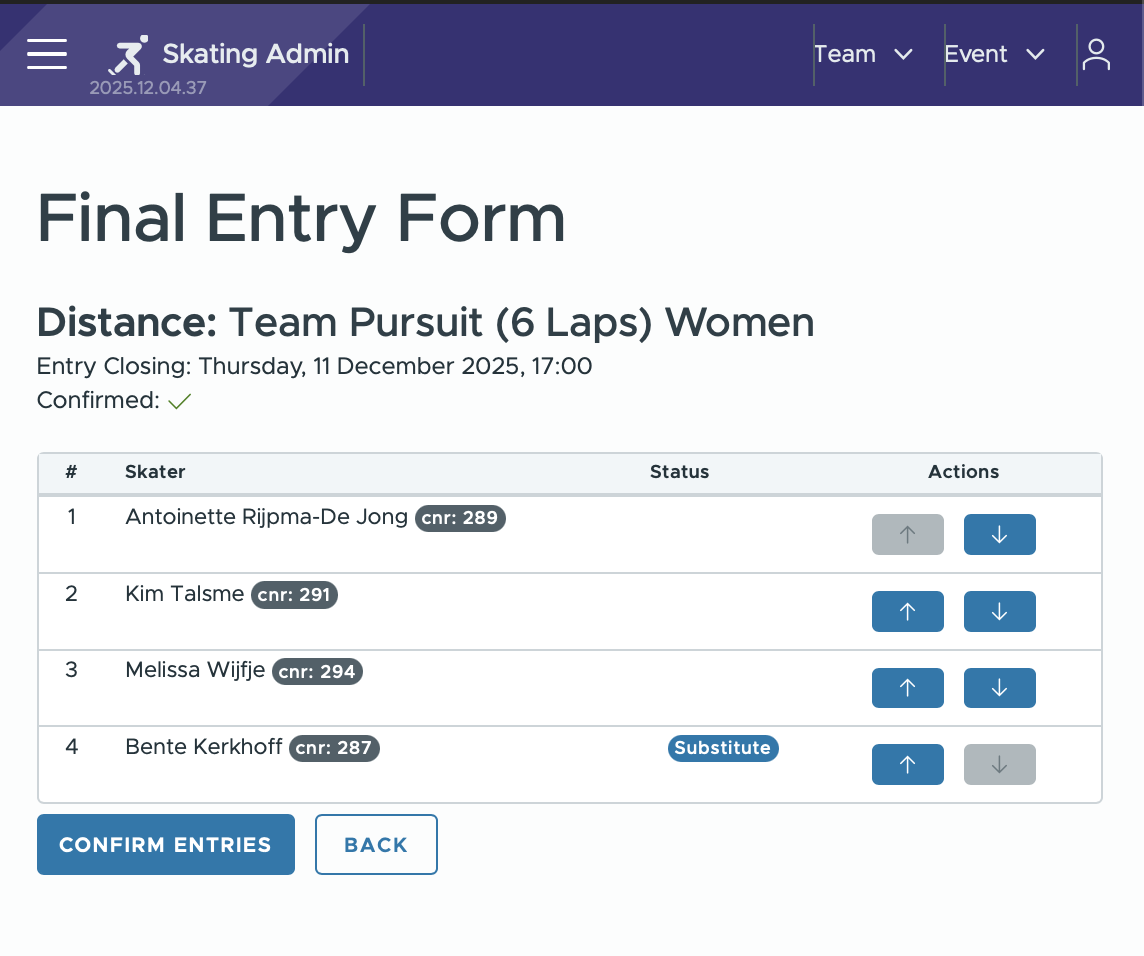
After selecting a distance, you will be able to adjust the preferred order of your entries.
This preference setting is crucial for events like team competitions, where skater order matters. Use the up and down arrows to arrange skaters in your preferred order. You may also leave a remark for referees, which will be visible during starter arrangements.
If needed, you can submit a withdrawal request (see below) to remove a skater from a distance. Once you have finalized your changes, press the confirmation button to save them to the system. A notification will appear at the top of the screen once the confirmation is successfully saved.
Withdrawal Requests
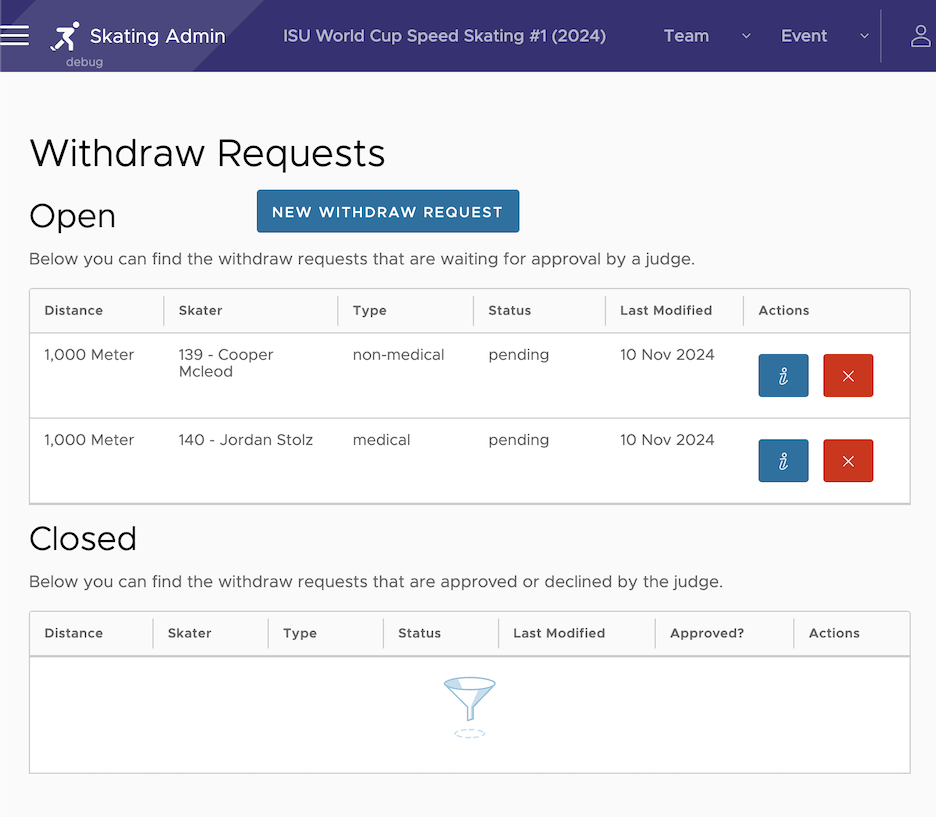
The Withdrawal section provides an overview of withdrawal requests. The top section displays pending withdrawal requests that have not yet been approved, while the lower section shows withdrawals that have been accepted and processed.
To initiate a new withdrawal request, click the New Withdraw Request button.
The withdrawal request process is a multi-step form, guiding you through the following steps:
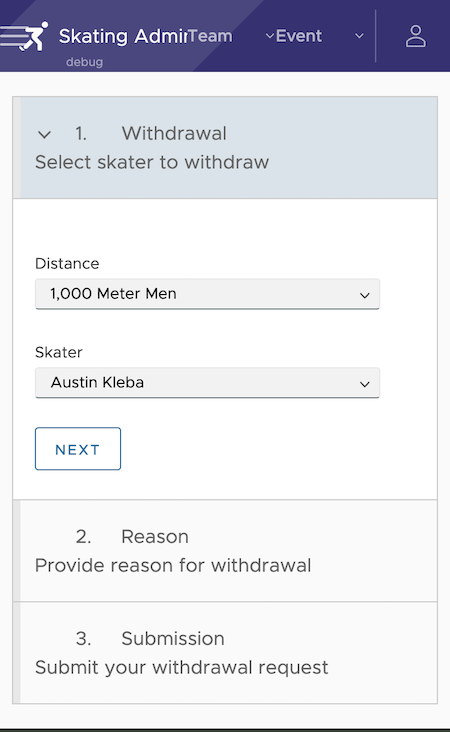
1. Select Skater for Withdrawal
In the first step, choose the distance in which the skater is scheduled to compete.
Next, select the specific skater you want to withdraw from the chosen distance. Once you have confirmed your selection, click Next to proceed.
2. Indicate reason and select the
Substitute or no substitute
A detailed description field for the reason the withdrawal is made should be entered (no reason is needed prior to the draw for the distance).
Available substitutes for the distance are listed in the pull-down menu. Select the substitute for the withdrawn athlete, or “no substitute” if the athlete will not be replaced.
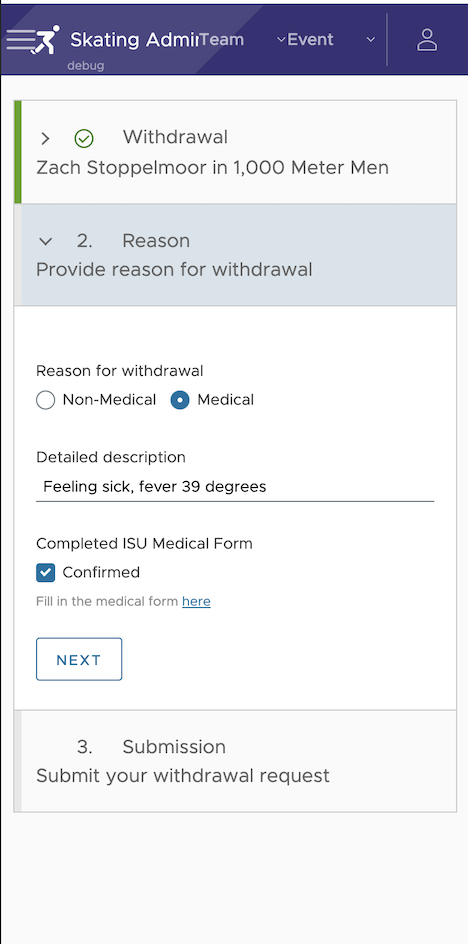
3. Specify Reason for Withdrawal
In this step, indicate whether the withdrawal is due to medical or non-medical reasons. Provide a brief description of the reason for the withdrawal. If the withdrawal is medical, please also complete the online medical form available on the ISU website.
Prior to the draw for the distance, a reason is not required and the medical/non-medical indication is not shown. Click Next to proceed to the final step.
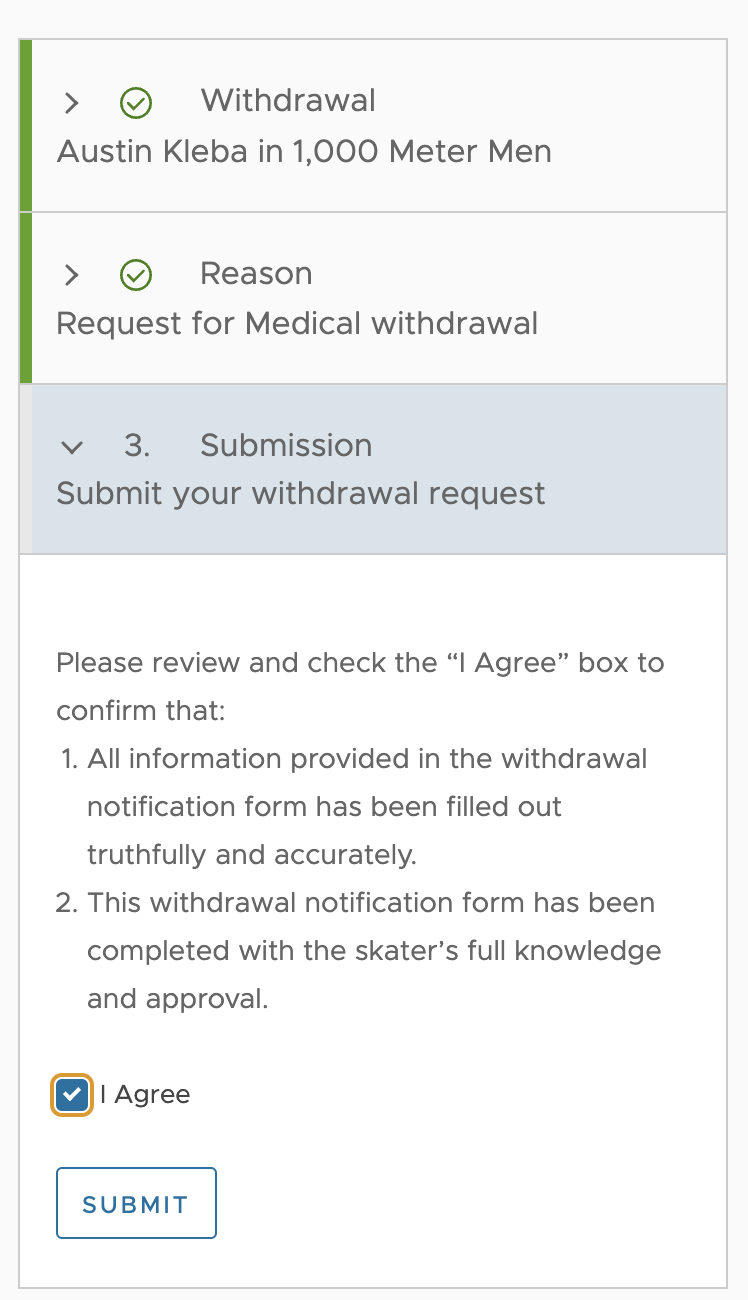
4. Accept Terms of Electronic Withdrawal
To finalize the withdrawal request, accept the terms presented in the application by marking the checkbox. The Submit button will then be enabled, allowing you to complete the submission. Once the server accepts the withdrawal, a confirmation will appear, and you will be redirected to the withdrawal overview page.
Feedback on Withdrawal Status
Once a withdrawal is submitted, it will be reviewed by a referee. You will receive a notification within the application and via email when the withdrawal has been processed.
Ranking List
Once the Ranking Lists for each distance have been generated by the officiating team, they will be available to view from this menu item.
Sports Expert
If you have issues with any steps needed, please contact the Sports Expert for the competition.